

Phone case sample ordering guide
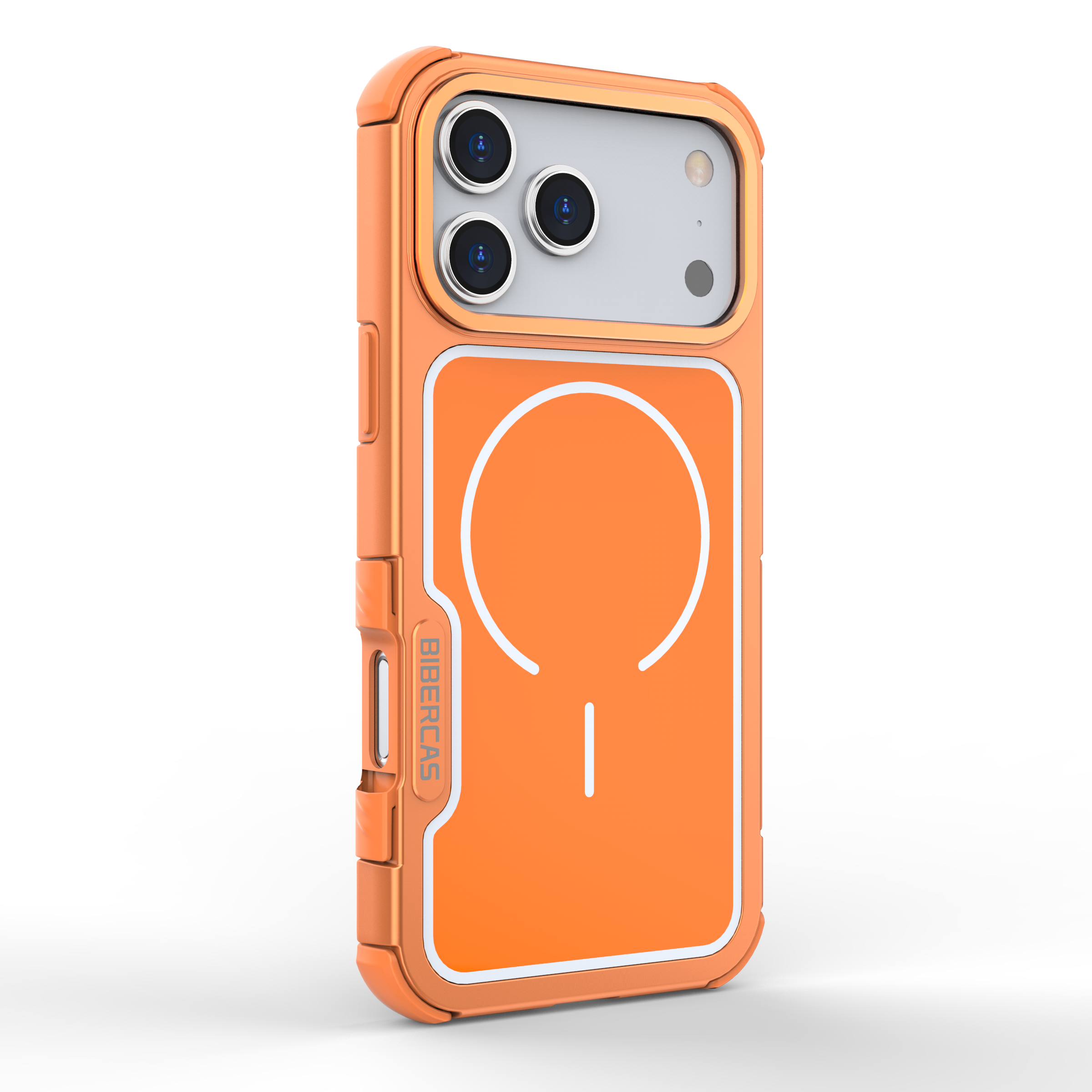
Are you curious about how to order a phone case sample? Just follow this easy phone case sample ordering guide. Start by selecting your preferred case type, then upload your custom design. After that, review all the details carefully and place your order. Ordering a phone case sample allows you to check the quality and fit before committing to a larger purchase. This phone case sample ordering guide ensures you avoid mistakes and receive the perfect product every time.
Tip: Always order a phone case sample before placing a large order to make sure everything meets your expectations!
Key Takeaways
- You should always get a phone case sample first. This helps you check the quality and fit before buying many cases. Make sure you check your phone model number two times. This stops you from getting a case that does not fit. Use clear and sharp images for your design. This makes your case look nice and professional. Look at your design closely in the preview. This helps you find mistakes before you order. Use a checklist to make sure all details are right. Check the model, material, and shipping information.
Phone case sample ordering guide steps
Choose your device model
Begin by picking the right device model for your phone case. Make sure the case fits your phone exactly. Check the model name and number on your phone. Phones can look alike, but small changes can make a case not fit. Most websites have a menu or search bar to help you find your phone. If you do not know your model, look in your phone’s settings or on the box it came in. Picking the wrong model is a mistake many people make. Take your time so you get it right.
Tip: Always check your phone’s model number with the one on the website so you do not get a case that does not fit.
Select case type & material
Now pick the case type and material you want. Some people like slim cases, and others want more protection. You can choose from soft silicone, tough polycarbonate, or flexible TPU. Each one has its own good points. Here is a table to help you compare:
| Material | Properties | Impact on Durability and Protection |
|---|---|---|
| TPU | Flexible, impact-absorbing, excellent grip | Balances protection, comfort, and visual quality |
| Polycarbonate | Rigid, hard back, crisp print quality | Provides solid protection when combined with TPU edges |
| Softer materials | Absorb impact better through flex and compression | Distributes force across a wider area, enhancing protection |
| Silicone | Superior grip but can attract dust and feel sticky over time | May reduce long-term usability due to dust attraction |
Think about how you use your phone every day. If you drop your phone a lot, pick a case that absorbs shock. If you want your design to look bright and clear, polycarbonate is a good choice. This step helps you pick between style and protection.
Upload your design
Now you can make your case special. Most websites let you upload your own picture or artwork. Use a clear, high-quality image for the best results. Here are some tips:
- Bigger images look better when printed.
- Use files bigger than 2MB for most cases.
- Try to use at least 300 DPI, which is about 840 by 1,680 pixels.
If your picture is too small or blurry, the print will not look good. Many websites show you a preview of your design on the case. Use this tool to see how your design will look and make changes if needed.
Preview & confirm
Before you order, look at your design and check all the details. This is a very important step. Here is what you should do:
- Pick your canvas and model. Make sure you chose the right phone and case.
- See your design on the case. Check that your artwork fits and looks good.
- Review your sample order. Make sure the cutouts, buttons, and camera holes match your design.
Zoom in on the preview to check for problems. Make sure nothing important is cut off by the edges or camera hole. Check the device model and case type again.
Note: Taking a few extra minutes to check your order can help you avoid mistakes later.
Place your sample order
When you are happy with your choices, place your sample order. Fill in your shipping information and pay for your order. Most websites will send you an email with your order details. Save this email. Ordering a sample lets you see the print, fit, and look before you buy more. This last step helps you feel sure about your order and avoid surprises.
If you follow all these steps, you will get a sample that looks the way you want and fits your phone just right.
Case types & materials
Popular case styles
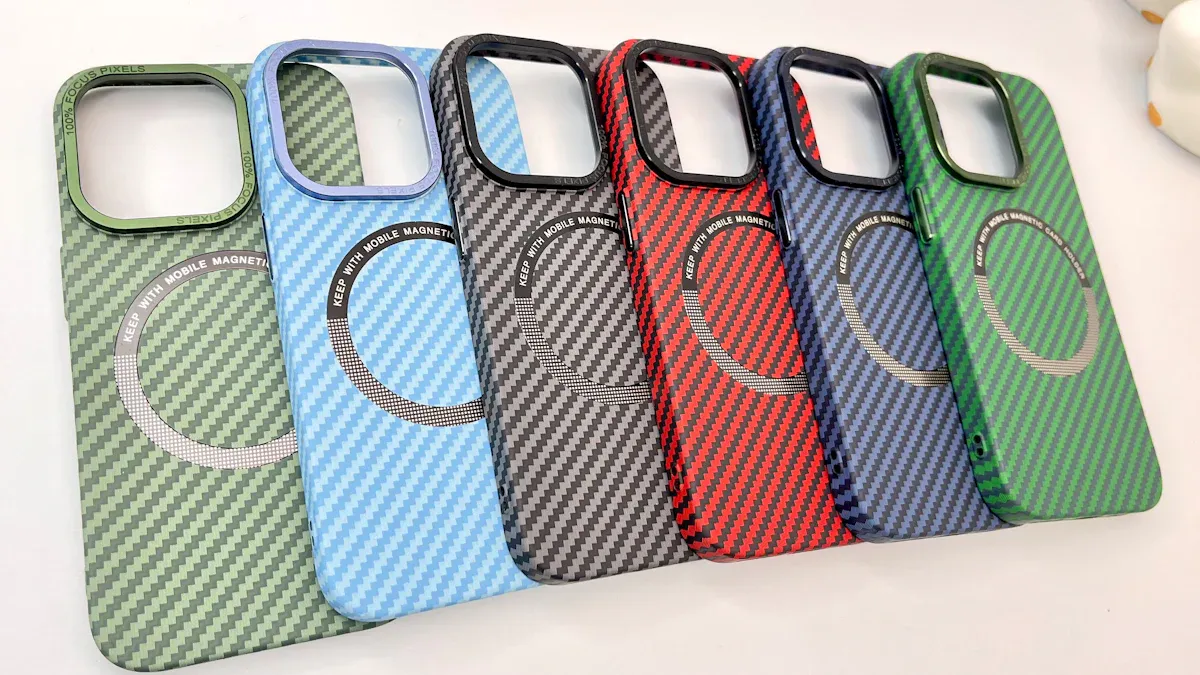
There are many phone case styles you can choose from. Each style is good for different people and how they use their phones. Here are some of the most popular styles in 2024:
| Case Style | Description | Ideal For |
|---|---|---|
| Slim cases | Thin, light, and easy to hold. | Office, daily use |
| Protective cases | Thick edges, strong back, extra shock absorption. | Active people, travelers |
| Wallet cases | Holds cards and cash along with your phone. | Minimalists, people on the go |
| MagSafe-compatible | Built-in magnets for easy use with chargers and mounts. | Wireless charging fans |
| Clear custom cases | Shows off your phone’s color, resists yellowing. | Minimalist look lovers |
| Eco-friendly options | Made from recycled or plant-based materials. | Eco-conscious users |
Pick a style that fits your life or your business. Some people want a simple case for work. Others need a tough case for travel.
Material options
The material you pick changes how your case feels and works. Here is a table to help you see the differences:
| Material | Advantages | Disadvantages |
|---|---|---|
| TPU | Flexible, absorbs shocks, great grip, bright print | None listed |
| Polycarbonate | Hard, clear prints, crisp photos | Needs TPU edges for best shock absorption |
| Silicone | Super grippy, soft touch | Attracts dust and lint |
| Premium materials | Unique textures, good for engraving | Not for all print types |
If you want a soft case that is easy to hold, try silicone or TPU. If you want your design to look sharp, polycarbonate is a good choice.
Protection & style factors
Think about what is most important to you when picking a case. Here are some things to think about:
- Protection—If you drop your phone a lot, get a protective case.
- Function—If you want to carry cards, try a wallet case.
- Style—If you want to show off your phone, pick a clear or slim case.
- Wireless charging—If you use wireless charging, get a MagSafe-compatible case.
Tip: Try ordering a phone case sample first. This helps you test different styles and materials before buying a lot. You will find out what works best for you.
Order checklist
Before you hit that order button, take a moment to run through this checklist. You want your phone case sample to look great and fit perfectly. Here’s how you can make sure everything is just right.
Image quality check
Your design will only look as good as the image you upload. Use this quick list to make sure your artwork is ready:
- Use a high-resolution image (at least 300 DPI and over 2MB in size).
- Stretch your design into the bleed area (2–3mm past the visible edge) so there are no white borders.
- Keep important text or logos at least 10mm away from the edges.
- Pick colors that stand out from the background for easy reading.
- Double-check that your graphics do not cover up sensors, speakers, or ports.
- Make sure your design lines up with the camera and button cutouts.
- Always check the 3D preview to see how your case will look.
Tip: A sharp, well-placed image makes your case look professional and eye-catching.
Device fit verification
You want your case to fit like a glove. Double-check your phone’s model number. Compare it with the one you selected on the website. Even a small difference can mean the case will not fit. If you have any doubts, look in your phone’s settings or on the original box.
Design alignment
Look at the preview and see if your design sits where you want it. Make sure nothing important gets cut off by the camera hole or buttons. Move your artwork if you need to. Check both the front and back views if possible.
Final order review
Take a last look at your order summary. Check the device model, case type, material, and shipping address. Make sure everything matches what you want. If you spot a mistake now, you can fix it before it’s too late.
Note: Spending a few extra minutes on this checklist can save you time, money, and frustration later.
Common mistakes to avoid
When you order a phone case sample, you want everything to go smoothly. But some mistakes can sneak in and cause problems. Here are the most common ones you should watch out for:
Wrong device selection
Picking the wrong phone model is a classic mistake. Many phones look almost the same, but their cases are not. If you choose the wrong model, your case will not fit. Always double-check your phone’s model number. You can find it in your phone’s settings or on the box. Take your time with this step. It saves you from getting a case that does not work.
Tip: Compare the model number on your phone with the one on the website before you order.
Poor design uploads
Uploading your design is fun, but small errors can ruin the final look. Here are some things that can go wrong:
- Low-resolution images make your print look blurry and messy.
- If you ignore the bleed area, your design may not reach the edge of the case. This looks unprofessional.
- Text placed too close to the edge can get cut off or look warped because of the curved sides.
- If your text color blends into the background, it becomes hard to read.
- Designs that cover sensors or ports can block important phone features.
Always use a clear, high-quality image. Check the preview to see if everything lines up.
Overlooking material choice
You might focus on your design and forget about the material. But the material changes how your case feels and protects your phone. Silicone gives you a soft grip, while polycarbonate makes your design pop. If you pick the wrong material, your case may not match your needs. Think about how you use your phone every day. Choose a material that fits your lifestyle.
Skipping order review
It is easy to get excited and skip the final review. But this step catches mistakes before it is too late. Check your device model, case type, material, and design placement. Make sure your shipping address is correct. A quick review can save you time, money, and stress.
Note: Slow down and double-check everything before you place your order. You will thank yourself later!
Ordering a phone case sample is simple when you follow the right steps. Always order a sample first to spot any issues early. Review the design proof closely so your artwork looks perfect. Know how long production and shipping will take. Use the checklist to double-check your image and device details. Get your artwork ready and make sure your phone model matches. You’ll feel confident placing your next order!
FAQ
How long does it take to get a phone case sample?
You usually get your sample in 7–14 days. Shipping times can change based on where you live and the company you choose.
Can I order more than one sample at a time?
Yes, you can! Most websites let you order several samples. You can try different designs, materials, or case types in one order.
What if my sample does not fit my phone?
Contact customer support right away. Many companies offer a replacement or refund if the case does not fit your device.
Do I need special artwork for my design?
You do not need to be a pro. Just use a clear, high-resolution image. Most sites accept JPG or PNG files. If you need help, some sites offer design tips.


 English
 Arabic
 Chinese (Simplified)
 Dutch
Dutch French
 German
 Italian
 Portuguese
 Russian
 Spanish