

How to Design Your Own Logo Printed Mobile Case at Home
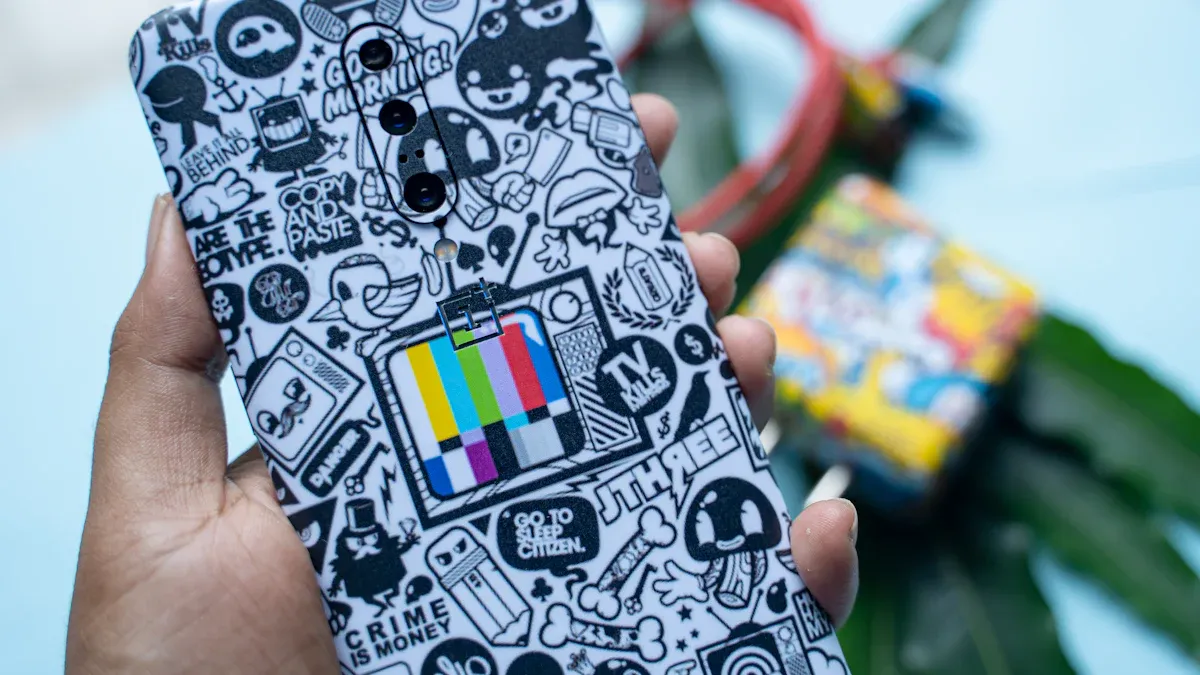
You can make logo printed mobile cases at home and show your style. About 58% of Americans want their phones to look different. Younger people care even more about showing who they are.
- Millennials and Gen Z like custom phone accessories a lot.
You do not need special skills or costly tools. Get some simple supplies and use your creativity. You can make a case that looks nice and feels special.
Key Takeaways
- You can make your own logo printed phone case at home. You only need some simple materials and tools. This helps you show off your own style.
- Pick the best blank case material for your design. TPU and polycarbonate are two good choices. Each one has different strengths for lasting long and printing well.
- Use free design tools like Canva to make a clear logo. Save your logo as a PNG with a see-through background. This gives you the best results.
- Pick a good printing method for your case material. Heat transfer and sublimation printing work well for home use.
- Cover your design with a protective layer to help it last. Clean and take care of your case often to keep it looking new.
Materials and Tools for Logo Printed Mobile Cases
Choosing the Right Blank Case
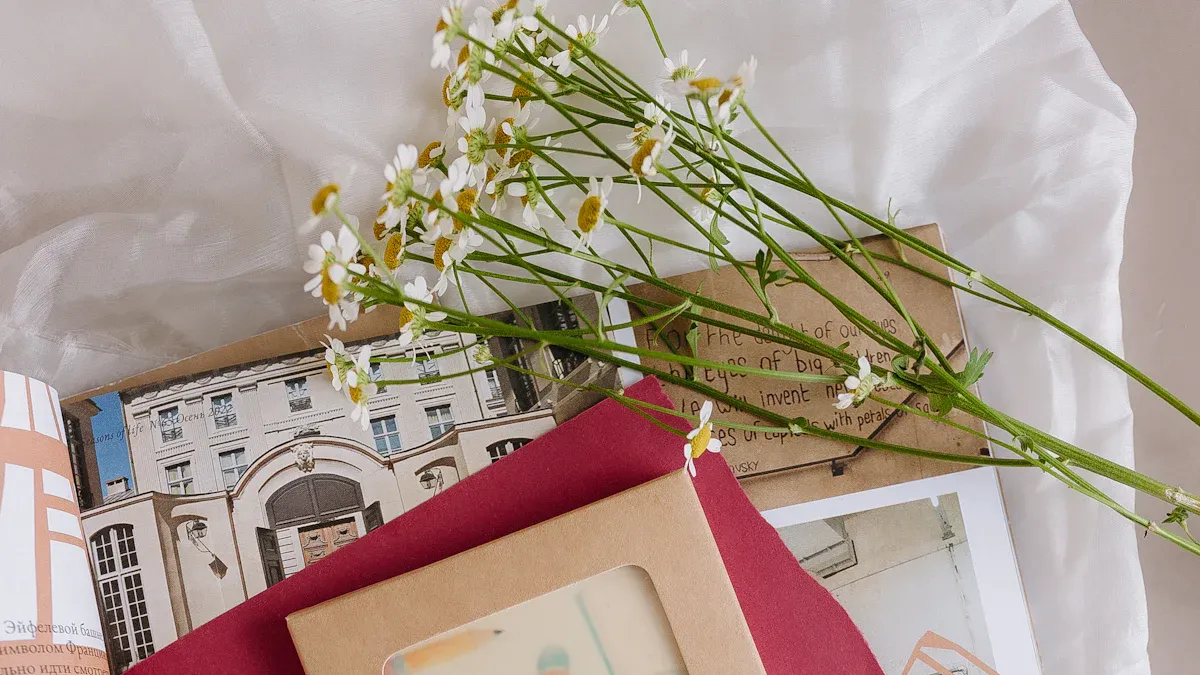
You want your logo printed mobile cases to look sharp and last long. Picking the right blank case makes a big difference. Cases come in many materials. Each one affects how your design will look and how well it holds up. Here’s a quick guide:
| Material | Print Quality | Durability and Features |
|---|---|---|
| TPU | Bright colors, great grip | Flexible, absorbs shock |
| Polycarbonate | Crisp images, clear photos | Strong, lightweight, needs scratch coat |
| Silicone | Good grip, less sharp prints | Soft, absorbs shock, may lose shape |
| PU Leather | Best for engraving, not full color | Stylish, cracks over time |
| Carbon Fiber | Attractive, high strength | Thin, may affect signal |
If you want a case that feels soft and absorbs shock, silicone works well. Polycarbonate gives you clear, crisp prints and lasts a long time. PU leather looks stylish but may crack or peel after a while.
Essential Design Tools and Apps
You don’t need fancy software to design your logo. Free apps like Canva let you create cool logos with easy templates. You can add your initials, favorite colors, or symbols. Try different fonts and shapes until you find what you like. Make sure your logo image is high-resolution. For best results, use images that are at least 150-300 DPI and 1800 × 900 pixels. High-res images keep your print sharp and clear.
Tip: Save your logo as a PNG file with a transparent background. This helps your design blend smoothly onto the case.
Printing Supplies and Equipment
You can print your logo at home with simple tools. Here’s what you need:
- Blank mobile case (choose the material you like)
- Printer (inkjet or laser)
- Transfer paper or printable sticker sheets
- Scissors and tweezers
- Clear sealant spray for protection
Different printing methods work for different materials. Heat transfer printing is versatile and works on most cases. Screen printing gives vibrant colors but needs more setup. Direct-to-garment printing is best for fabric cases. Always check your printer’s settings and use the right supplies for your chosen case.
Note: Test your print on regular paper first. This helps you spot any mistakes before printing on your case.
Design Your Logo
Create a Unique Logo
You want your logo to stand out on your mobile case. Start by thinking about what makes your style special. Simple designs work best for small surfaces like mobile cases. You can use online tools to help you create a logo that looks professional, even if you have never designed one before.
Here are some key principles for designing a logo that pops on a mobile case:
| Principle | Description |
|---|---|
| Simplicity | Simple logos are easy to recognize and remember. They look great on small surfaces. |
| Versatility | Your logo should look good in different places and sizes. |
| Scalability | Make sure your logo stays clear and readable, even when it is small. |
| Originality | A unique design helps your case stand out and shows your personality. |
You can use free platforms like Canva, Shopify Logo Maker, or Squarespace Logo Creator. These tools offer templates and let you change colors, fonts, and icons. If you want more options, try Designs.ai or Looka. You do not need to pay for most basic features.
Customize with Personal Touches
Now it is time to make your logo feel like yours. You can add your initials or a monogram to your design. Pick colors that match your mood or style. Some people like classic black and white for a clean look. Others choose bright colors to show energy and fun.
Here are some ways to personalize your logo printed mobile cases:
- Add your initials or a monogram for a personal touch.
- Choose colors that fit your style. Solid colors look simple and classy. Patterns or bold colors show you like fashion.
- Try a DIY approach. Draw your own shapes or symbols. Mix and match ideas until you find what feels right.
Color matters a lot. The colors you pick help people notice your case and remember your style. Good color choices make your logo easy to see and help you connect with others. Your mobile case becomes part of your personal brand.
Tip: Think about how your case will look with your favorite outfits or accessories. Your design can match your daily style.
Prepare Your Logo for Printing
Before you print your logo, you need to get the file ready. High-resolution images make your logo look sharp and clear. If your image is blurry, the print will not look good.
Here is what you need to know:
- Save your logo in vector formats like EPS, AI, or PDF. These files stay clear at any size.
- If you use a PNG or JPG, make sure the image is at least 150-300 DPI and big enough for your case.
- Use a transparent background if you want your logo to blend with the case color.
Check your design one last time. Make sure everything looks right. Preview your logo on a mockup if you can. This helps you spot any problems before you print.
Note: A well-prepared file means your logo printed mobile cases will look professional and last longer.
Print Your Logo on the Case
Designing your logo is fun, but seeing it on your phone case feels even better. You can use different methods to print your design at home. Let’s walk through the most popular ways and help you pick the best one for your project.
Home Printing Methods
You have a few choices when it comes to printing your logo at home. Each method has its own strengths and works better with certain materials. Here’s a quick look:
| Printing Method | Advantages | Disadvantages |
|---|---|---|
| Heat Transfer Printing | Prints complex images, cost-effective for small batches | Not great for big orders, setup can cost |
| Sublimation Printing | Vivid colors, super durable, good for small quantities | More steps, uses more ink, higher cost |
| Hydrographic Printing | Handles complex patterns | Needs pre-treatment, more prep work |
Heat transfer printing works well for most plastic cases. You can use your home inkjet printer and special transfer paper. Sublimation printing gives you bright, long-lasting colors. It works best on cases with a special coating. Hydrographic printing lets you add wild patterns, but you need to prep your case first.
Tip: Always check if your case material matches the printing method. Some plastics need special inks or coatings for the design to stick.
Using Transfer Paper or Stickers
Transfer paper and printable stickers are the easiest ways to make logo printed mobile cases at home. You don’t need fancy tools, just a printer and some patience.
Here’s how you can do it:
- Print your logo on transfer paper or sticker sheets. Use high-resolution images for the best results.
- Cut out your design carefully. Small scissors or a craft knife work well for this.
- Clean your blank case. Make sure there’s no dust or oil.
- Place the transfer or sticker on the case. Use tweezers for better control.
- Press down firmly and smooth out any bubbles.
- For transfer paper, follow the instructions—some need heat from an iron or hair dryer.
- Seal your design with a clear spray. This helps protect it from scratches and fading.
Transfer paper works best on hard plastic or polycarbonate cases. Stickers are great for silicone or flexible cases. Both methods let you try new designs whenever you want.
Note: If you want your design to last longer, always add a protective coating after printing.
Sublimation and Other Techniques
Sublimation printing gives you the most professional look. The colors soak into the case, so your design won’t peel or fade. You need a special sublimation printer and coated cases for this method.
Steps for Sublimation Printing:
- Print your logo on sublimation paper using sublimation ink.
- Place the paper face-down on your blank case.
- Use a heat press to transfer the design. Follow the time and temperature instructions for your case type.
- Let the case cool before touching it.
Sublimation works best on polycarbonate or coated cases. It’s perfect for detailed logos with lots of colors. If you want to try something different, hydrographic printing lets you dip your case into water with a printed film. This method covers the whole case with your design.
Callout: Always check the curing process for your chosen method. Some inks need heat, others need UV light, and some just air dry. This step makes your design last longer.
Preview Your Design Before Printing
You can use online platforms to see how your logo will look on your case before you print. Many websites let you upload your design and preview it in real time. Some even use augmented reality, so you can see your case from every angle. This helps you spot any problems and make changes before you start printing.
- Self-service printing sites offer fast previews and quick delivery.
- UV printing technology on these platforms gives you a good idea of the final look.
Take a few minutes to preview your design. You’ll feel more confident and get better results for your logo printed mobile cases.
Apply and Protect Your Logo
Align and Attach the Logo
Getting your logo in the right spot makes your mobile case look sharp. You want it centered and straight, not crooked or off-balance. Start by cleaning your case. Dust or oil can mess up the stickiness. Place your logo on the case before you attach it. Check the position from different angles. You can use a ruler or even a piece of tape as a guide.
Here are some tricks to help you line things up just right:
- Use a grid or template to keep your logo straight.
- Try marking the center of your case with a pencil (just a tiny dot).
- Press down gently and smooth out any bubbles.
Designers use tools like Flexbox and CSS Grid for perfect alignment on screens. You can copy this idea by using a printed grid or template. Always follow the dos and don’ts for image placement. A balanced logo looks professional and grabs attention.
When you’re ready to attach your logo, pick the right adhesive. Check out this table for options:
| Applicator Type | Description |
|---|---|
| Manual Applicators | Dispenser Box and Dot N’ Go make Glue Dots easy to use for small projects. |
| Semi-Automated Benchtop | Econodot and Auto Dot Pro work fast for bigger batches. |
| Fully-Automated Applicator | SD-900 is best for lots of cases, giving clean and accurate results. |
For home projects, manual applicators work best. They’re simple and give you control.
Seal and Maintain the Design
You want your logo to last. Scratches, water, and sunlight can fade or peel your design. Sealing your case protects your hard work.
Try these top coatings:
- Epoxy coating gives a thick, shiny shield. It’s tough and resists scratches.
- Nano-ceramic sprays like DuraClear keep your case safe from water and dirt.
- Mod Podge Outdoor works well if you want weather protection. It stops yellowing and keeps moisture out.
Tip: Let your case dry for at least 24 hours after sealing. Don’t rush this step. A good seal means your logo stays bright and fresh.
Keep your case clean. Wipe it with a soft cloth. Avoid harsh cleaners. Your custom case will look awesome for months!
Tips and Troubleshooting for Logo Printed Mobile Cases
Achieve the Best Print Quality
You want your logo printed mobile cases to look sharp and last a long time. Here are some easy tips to help you get the best results:
- Pick a reliable printer. Ask questions and compare options before you start.
- Try to get a sample print first. This helps you see what your design will look like.
- Give clear instructions about your design. Details matter, so don’t skip them.
- Use design tools made for printing, not word processors. These tools keep your images crisp.
- Change your fonts to outlines. This stops font problems when you print.
- Send your files in the format your printer likes best, usually PDF.
Tip: Always check your design on a mockup before printing. You’ll catch mistakes early and save time.
If you want your logo to stay bright and not fade, sublimation printing works well. This method uses heat and pressure to lock the ink into the case. Your design will resist peeling and cracking, so your case stays looking new.
Solve Common Issues
Sometimes things go wrong when you print at home. Here’s a quick table to help you spot and fix common problems:
| Issue | Description |
|---|---|
| Smudging | Ink doesn’t dry fast enough, so colors get messy during transfers. |
| Misalignment | Even a tiny shift can make your image look off. This happens if gears wear out or film moves. |
| Ghosting | The case slips during curing, so you see faint double images. |
If your logo doesn’t stick well or starts to fade, you can fix it with a few simple steps:
- Take the case off your phone.
- Rinse it under lukewarm water to wash away dirt.
- Mix a little dish soap with warm water.
- Soak the case for 5–10 minutes.
- Use a soft toothbrush to gently scrub, especially on faded spots.
- Rinse off all the soap.
- Dry with a microfiber cloth and let it air dry before putting it back.
Note: Keeping your case clean helps your design last longer. If you see fading, try using a protective spray or sealant.
If you follow these tips, you’ll get clear, long-lasting results for your logo printed mobile cases. Don’t worry if you make mistakes. You can always try again and improve your technique!
You can make logo printed mobile cases at home. You only need a few tools and your imagination. Try different ways to print your design. This helps you get the look and strength you want:
| Printing Method | Advantages | Disadvantages |
|---|---|---|
| Hydrographic Printing | Good for tricky patterns | Can chip and scratch |
| IMD/IML Printing | Bright, long-lasting pictures | Not cheap for small batches |
| Digital UV Printing | Clear, shiny images | Not many color choices |
| Heat Transfer Printing | Strong and does not fade easily | Slow if you make many cases |
| 2D/3D Sublimation Printing | Bright, bold colors | Needs special cases |
Show your finished cases on social media. This can inspire other people and help you make friends who like DIY. You can get help from places like Onshape and Printify. The DIY market is getting bigger. Vending machines and new tools make it easier to create your own phone case.
FAQ
How do I keep my logo from peeling off my phone case?
You can seal your design with a clear spray or epoxy coating. Let it dry for a full day. Wipe your case gently with a soft cloth to keep it looking fresh.
Can I use any printer for printing my logo?
Most inkjet and laser printers work for transfer paper or stickers. You need a sublimation printer for sublimation printing. Always check your printer’s settings before you start.
What if my logo looks blurry after printing?
Blurry prints happen when you use low-resolution images. Make sure your logo is at least 150-300 DPI. Preview your design before printing to catch mistakes early.
Is it safe to clean my custom phone case?
Yes! Use a soft cloth and mild soap. Avoid harsh chemicals. Let your case air dry before putting it back on your phone.
Can I remove the logo and try a new design?
You can peel off stickers or transfer paper designs. Clean the case and start again. For sublimation or epoxy, you need a new blank case.


 English
 Arabic
 Chinese (Simplified)
 Dutch
Dutch French
 German
 Italian
 Portuguese
 Russian
 Spanish