

A Complete Guide to Materials for Laser Engraving Mobile Covers
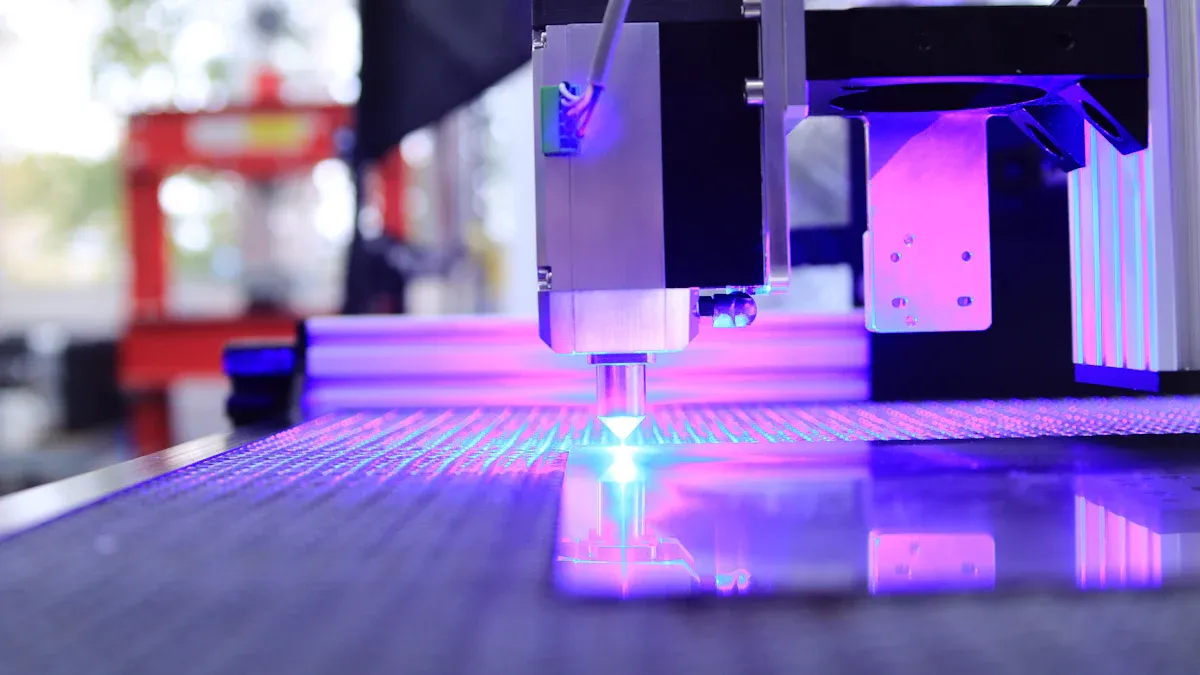
You might wonder what the best materials are for laser engraving mobile covers. Your choice depends on your laser machine and your style. Different materials create unique engraving results, change durability, and affect the look of your cover. If you master the right engraving techniques for each material, you improve your results. Think about your design goals, protection needs, and the type of laser engraver you use before you start.
Key Takeaways
- Choose the right material for laser engraving based on your design goals. Wood offers a natural look, while metal provides a modern style.
- Experiment with different materials like wood, acrylic, leather, metal, glass, and plastic to find the best results for your designs.
- Match your material choice with your laser machine. CO2 lasers work well with organic materials and plastics, while fiber lasers excel with metals.
- Consider durability and protection when selecting materials. Metal and polycarbonate covers offer high protection, while acrylic and glass are stylish but may crack.
- Test your laser settings on scrap pieces before engraving your final cover. Adjust power and speed to achieve the desired depth and contrast.
- Prepare your materials by cleaning them thoroughly. Dust and oils can affect engraving quality, so ensure surfaces are free from debris.
- Avoid problematic materials like silicone and coated plastics, as they can lead to poor engraving results and may damage your laser machine.
- Plan your design around your phone’s features, ensuring that engravings do not interfere with buttons, ports, or camera placements.
Best Materials for Laser Engraving Mobile Covers
Overview of Top Choices
You have many options when you choose materials for laser etching mobile covers. Each material gives you a different look, feel, and level of durability. The best materials for laser engraving include wood, acrylic, leather, metal, glass, and plastic. These materials work well with most laser machines and give you clear, detailed results.
Here is a table that shows the most common materials used for laser etching mobile covers and their main characteristics:
| Material Type | Examples | Characteristics |
|---|---|---|
| Organic Materials | Wood, Glass, Leather | Contrasted engraving results, suitable for various items like picture frames and keychains. |
| Metallic Materials | Anodized Aluminum, Stainless Steel | Engraving results in contrasting colors, applicable for items like knife blades and jewelry. |
| Plastic Materials | Acrylic, PP, ABS | Engraving results vary by type and color, used for items like phone cases and water bottles. |
You can see that organic materials like wood and leather give you a natural look. Metal covers, such as anodized aluminum, create a modern and sleek style. Plastic covers, including acrylic and ABS, offer flexibility and come in many colors. Each material reacts differently during the laser etching process, so you can experiment to find the effect you like best.
Tip: If you want a unique design, try combining two materials, such as wood and acrylic, for a layered effect.
Material Compatibility with Laser Machines
You need to match your material choice with your laser machine. Not all machines work well with every material. Some materials need more power or a different type of laser to get the best results. The best materials for laser engraving usually have high compatibility with popular machines.
Here is a table that shows which materials work best with common laser machines:
| Material Type | Examples |
|---|---|
| Organic | Leather, Wood, Paper, Rubber |
| Plastics | ABS, PMMA, Acrylic, PC |
| Metals | Aluminum, Brass, Stainless Steel, Gold, Silver |
Most CO2 laser machines handle organic materials and plastics well. Fiber lasers work best with metals. If you use a MOPA laser, you can engrave many types of materials, but the reaction may not be as strong as with a CO2 or fiber laser.
The type of laser you use affects the quality of your laser etching. Here is a table that explains how different lasers interact with materials:
| Laser Type | Best Materials | Effects on Engraving Quality |
|---|---|---|
| CO2 Laser | Organic materials, Plastics | Versatile, precise marking for organic materials. |
| Fiber Laser | Metals | High-resolution engraving with optimal focus. |
| MOPA Laser | Various materials | Fast marking with moderate reactions. |
If you want to engrave wood or acrylic, a CO2 laser gives you sharp and clean lines. For metal covers, a fiber laser produces high-contrast and detailed designs. The laser etching process works best when you match the right material with the right machine.
You should also consider the laser cutting ability of your machine. Some materials, like acrylic and wood, allow both laser etching and laser cutting. This means you can create custom shapes and add detailed designs in one step. For metals, you usually focus on laser etching, as laser cutting requires more power.
When you choose materials for laser engraving mobile covers, think about your design goals and the tools you have. The right combination helps you achieve the best results and makes your covers stand out.
Wood Covers for Laser Engraving
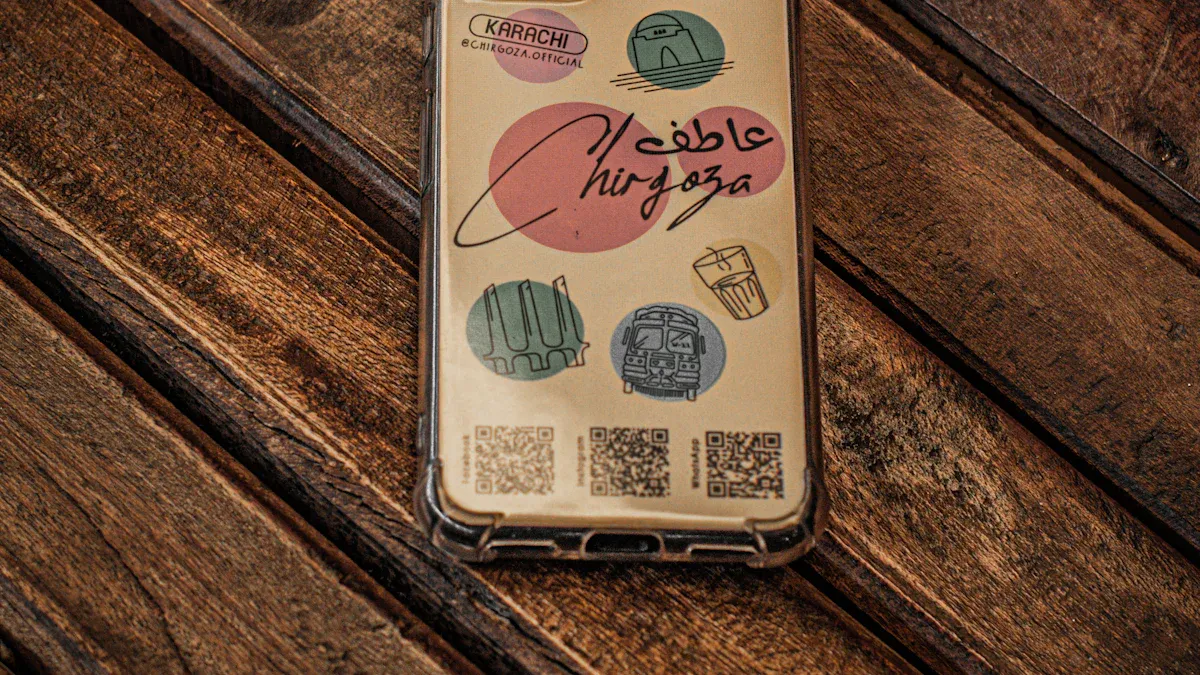
Wood stands out as a favorite material for laser etching mobile covers. You get a natural look, warm texture, and a surface that responds well to detailed designs. When you choose wood, you can select from several popular types, each with its own unique qualities.
Popular Wood Types
Bamboo
Bamboo offers a lightweight and eco-friendly option for laser etching. You will notice its smooth grain and pale color, which help designs stand out. Bamboo absorbs laser etching well, so you see crisp lines and deep contrast. Many people like bamboo because it is sustainable and strong.
Maple
Maple gives you a fine, even grain. This wood type works well for laser etching because it produces sharp, clear images. Maple’s light color makes dark etching pop, so your designs look bold. You can rely on maple for both simple patterns and intricate artwork.
Walnut
Walnut provides a rich, dark background for laser etching. You get a luxurious feel and a strong contrast between the etched areas and the natural wood. Walnut’s dense structure allows for precise detail, making it a top choice for elegant or professional designs.
Engraving Results on Wood
When you use laser etching on wood, you achieve excellent contrast and visual appeal. The process burns away the top layer, leaving behind a design that feels both smooth and tactile. Different wood types, such as basswood, plywood, and hardwoods, can give you varying results in terms of detail and quality. You may want to experiment with several wood types to find the one that best matches your design goals. Laser etching on wood often highlights the natural grain, adding character to every mobile cover.
Note: You can adjust the laser etching settings to control the depth and darkness of your design. Lighter woods usually show more contrast, while darker woods offer a subtle, sophisticated look.
Durability and Pros/Cons
Wood covers offer a balance of beauty and protection. You get a sturdy case that resists scratches and absorbs minor impacts. However, wood can be sensitive to moisture and extreme temperatures. You may need to treat the surface with a sealant to protect your laser etching from fading or damage.
Pros of wood covers for laser etching:
- Natural, unique appearance
- Excellent contrast and detail
- Eco-friendly options like bamboo
Cons:
- Can be affected by water or humidity
- May require extra care or sealing
- Slightly bulkier than plastic or metal covers
If you want a mobile cover that stands out and feels personal, wood is a great choice for laser etching. You can create anything from simple initials to complex artwork, all while enjoying the warmth and character that only wood provides.
Acrylic Covers for Laser Engraving
Acrylic Varieties
You can choose from several types of acrylic for laser etching mobile covers. Clear acrylic is the most popular. It gives you a glass-like look and works well for designs that need high contrast. Colored acrylic comes in many shades. You can pick bright colors or soft pastels to match your style. Frosted acrylic has a matte finish. It hides fingerprints and scratches better than clear acrylic. Mirrored acrylic adds a shiny, reflective surface. This type makes your laser etching stand out with a bold effect.
| Acrylic Type | Appearance | Best For |
|---|---|---|
| Clear | Transparent | High-contrast designs |
| Colored | Opaque/Translucent | Custom color themes |
| Frosted | Matte | Subtle, scratch-resistant look |
| Mirrored | Reflective | Eye-catching, bold graphics |
Tip: Try layering two acrylic types for a unique, multi-dimensional effect with your laser etching.
Engraving Effects on Acrylic
Laser etching on acrylic gives you sharp, clean lines. The laser removes a thin layer from the surface. You see a frosted or white mark where the laser touches the acrylic. This effect works best on dark or colored acrylic. On clear acrylic, the design looks crisp and bright. You can create text, logos, or detailed patterns with laser etching. The process does not melt or warp the acrylic if you use the right settings.
You can adjust the depth and intensity of your laser etching. Lower power creates light marks. Higher power makes deeper grooves. You should test your settings on a scrap piece first. This helps you avoid mistakes on your final cover.
Note: Laser etching on acrylic does not produce smoke or strong odors. You can work safely in a small workshop or home studio.
Durability and Pros/Cons
Acrylic covers offer strong protection for your phone. The material resists impacts and scratches. Laser etching does not fade or peel over time. Your design stays sharp and clear. Acrylic is also lightweight. You can carry your phone without extra bulk.
However, acrylic can crack if you drop it from a high place. It may show fingerprints on glossy surfaces. Frosted acrylic hides these marks better. You should avoid bending acrylic covers, as they can snap.
Pros of acrylic covers for laser etching:
- Durable and scratch-resistant
- Lightweight and stylish
- Many color and finish options
- Designs stay sharp and permanent
Cons:
- Can crack if dropped hard
- Glossy types show fingerprints
- Not as flexible as TPU or silicone
If you want a modern, customizable mobile cover, acrylic works well for laser etching. You can create bold graphics or subtle patterns. The results look professional and last a long time.
Leather Covers for Laser Engraving
Genuine vs. Synthetic Leather
When you choose a leather mobile cover for laser etching, you face two main options: genuine leather and synthetic leather. Genuine leather comes from animal hides. It feels soft and develops a unique patina over time. You get a classic look and a strong, durable surface for laser etching. Synthetic leather, also called faux leather or PU leather, uses plastic-based materials. It mimics the look of real leather but costs less. You can find synthetic leather in many colors and textures.
| Leather Type | Source | Texture | Durability | Cost | Laser Etching Quality |
|---|---|---|---|---|---|
| Genuine Leather | Animal hide | Soft, natural | High | Higher | Deep, rich contrast |
| Synthetic Leather | Man-made | Smooth, varied | Moderate | Lower | Good, less contrast |
Tip: If you want a deep, rich design, genuine leather works best for laser etching. Synthetic leather gives you more color choices and a vegan option.
Preparation Steps for Leather Engraving
You need to prepare your leather cover before you start laser etching. First, clean the surface with a soft, dry cloth. Remove dust, oils, or any residue. This step helps the laser etching process create sharp lines. Next, test your laser settings on a small, hidden area or a scrap piece of the same leather. Different leathers react in unique ways to laser etching. Adjust the power and speed until you see the effect you want.
Follow these steps for best results:
- Clean the leather cover.
- Mask the surface with painter’s tape if you want to prevent smoke stains.
- Test your laser etching settings on a sample.
- Secure the cover flat in the laser bed.
- Double-check your design placement.
Note: Always ventilate your workspace. Laser etching leather can produce smoke and odors.
Engraving Results on Leather
Laser etching on leather creates a permanent mark by removing the top layer. You see a darkened, textured design that stands out against the leather’s surface. On genuine leather, laser etching gives you deep contrast and a tactile feel. Synthetic leather shows crisp lines, but the contrast may not be as strong. You can use laser etching for names, logos, or detailed patterns.
You control the depth and darkness by changing the laser etching power and speed. Lower power gives you lighter marks. Higher power creates deeper, darker designs. You can experiment with different settings to match your style.
If you want a unique look, try layering laser etching with colored dyes or paints after the process. This adds color to your engraved design.
Laser etching works well for both simple and complex artwork. You get a custom mobile cover that feels personal and stylish. Many people choose laser etching on leather for gifts, business branding, or personal use. The results last a long time and resist fading with normal use.
Durability and Pros/Cons
Leather covers offer a unique mix of style and strength for your mobile device. When you choose leather, you invest in a material that can last for years with the right care. Laser engraving does not weaken the leather. Instead, it creates a permanent design that stands up to daily use.
You will notice that genuine leather handles wear and tear better than most synthetic options. Over time, genuine leather develops a patina. This patina gives your cover a vintage look. It also hides small scratches and marks. Synthetic leather stays smooth but may show cracks or peeling after heavy use.
Tip: You can extend the life of your leather cover by keeping it away from water and direct sunlight. Use a leather conditioner every few months to keep the material soft and flexible.
Here is a quick comparison of durability:
| Feature | Genuine Leather | Synthetic Leather |
|---|---|---|
| Scratch Resistance | High | Moderate |
| Water Resistance | Low (needs care) | Moderate |
| Aging | Develops patina | May crack or peel |
| Flexibility | Stays flexible | Can stiffen over time |
| Engraving Longevity | Lasts for years | Lasts, but may fade |
Pros of Leather Covers for Laser Engraving
- You get a premium look and feel.
- Laser engraving creates a design that does not rub off.
- Genuine leather becomes more attractive as it ages.
- Both genuine and synthetic leather absorb shock, protecting your phone.
- You can personalize your cover with names, logos, or patterns.
Cons of Leather Covers for Laser Engraving
- Leather does not like water. Spills can stain or warp the cover.
- Genuine leather costs more than plastic or silicone.
- Synthetic leather may not last as long as real leather.
- Some cleaning products can damage the engraved design.
- Leather can stretch if you remove and replace the cover often.
Note: If you want a vegan or budget-friendly option, synthetic leather works well. For the best durability and engraving results, choose genuine leather.
You should weigh these pros and cons before making your choice. Leather covers give you a blend of style, comfort, and protection. With proper care, your laser-engraved design will look sharp and last for years.
Metal Covers for Laser Engraving
Metal covers give your phone a modern and professional look. You can use laser etching to create sharp, permanent designs on these surfaces. Many people choose metal covers because they want durability and a unique style. You should know which metals work best for laser etching metal before you start your project.
Common Metals
Anodized Aluminum
Anodized aluminum is a top choice for laser etching metal. This material has a special coating that reacts well to the laser. You get high-contrast marks that stand out against the colored surface. Anodized aluminum comes in many colors, so you can match your design to your style. The coating also protects the metal from scratches and fading. You will find anodized aluminum easy to work with if you use a fiber laser or a powerful CO2 laser.
Stainless Steel
Stainless steel is another popular option for laser etching metal. This metal is strong and resists rust. When you use laser etching on stainless steel, you get a clean, precise design. The process changes the color of the surface, often creating a dark or black mark. Stainless steel covers feel heavy and solid. You should use a fiber laser for the best results on stainless steel.
Tip: Always clean the metal surface before laser etching. Dust or oil can affect the quality of your design.
Engraving Results on Metal
Laser etching metal gives you crisp, detailed images. The laser removes a thin layer or changes the color of the surface. You can create text, logos, or patterns that will not rub off. Anodized aluminum shows bright, white marks against colored backgrounds. Stainless steel displays dark, bold lines. You can adjust the laser settings to control the depth and contrast of your design. Laser etching works well for both simple and complex artwork.
| Metal Type | Engraving Appearance | Best Laser Type |
|---|---|---|
| Anodized Aluminum | White/bright contrast | Fiber, CO2 |
| Stainless Steel | Dark/black contrast | Fiber |
Note: Laser etching metal does not weaken the cover. Your phone stays protected while looking stylish.
Durability and Pros/Cons
Metal covers offer strong protection for your phone. Laser etching metal creates designs that last for years. The marks do not fade or peel. Anodized aluminum resists scratches and keeps its color. Stainless steel stands up to drops and impacts.
Pros of metal covers for laser etching:
- High durability and protection
- Permanent, clear designs
- Modern, sleek appearance
Cons:
- Metal covers can feel heavy
- Some metals may interfere with wireless charging
- Higher cost than plastic or wood covers
You should choose metal covers if you want a long-lasting, professional look. Laser etching metal lets you personalize your phone with confidence.
Glass Covers for Laser Engraving
Glass Types
You can choose from several types of glass for mobile covers. Tempered glass is the most common. It resists scratches and breaks less easily than regular glass. You might see Gorilla Glass used in premium phone covers. This type offers extra strength and clarity. Some covers use frosted glass. Frosted glass hides fingerprints and gives your phone a soft, matte look. Colored glass adds style and lets you match your phone to your personality.
| Glass Type | Features | Best Use |
|---|---|---|
| Tempered Glass | Strong, scratch-resistant | Everyday protection |
| Gorilla Glass | High clarity, tough | Premium covers |
| Frosted Glass | Matte finish, hides marks | Stylish designs |
| Colored Glass | Vibrant, unique | Custom looks |
Tip: If you want a cover that stands out, try colored or frosted glass. These types let you create eye-catching designs.
Engraving Effects on Glass
Laser engraving on glass creates a frosted effect. The laser marks the surface and leaves a white or gray design. You can engrave names, logos, or patterns. The results look sharp and permanent. On clear glass, your design appears bright and easy to see. Frosted glass gives you a softer look. Colored glass shows lighter marks, so you should use bold designs for the best results.
You control the depth and brightness by changing the laser’s power and speed. Lower power makes lighter marks. Higher power creates deeper, more visible designs. You should test your settings on a spare piece of glass before you engrave your final cover.
Note: Always wear safety glasses when you work with glass. Small chips can fly off during engraving.
Durability and Pros/Cons
Glass covers protect your phone from scratches and minor bumps. Tempered glass resists cracks better than regular glass. Gorilla Glass lasts longer and keeps your phone looking new. Frosted and colored glass add style but may show chips if you drop your phone.
Pros of glass covers for laser engraving:
- Strong protection against scratches
- Permanent, clear designs
- Stylish appearance with many options
Cons:
- Glass can break if dropped hard
- Heavier than plastic or silicone covers
- May cost more than other materials
You should choose glass covers if you want a sleek look and lasting protection. Laser engraving lets you personalize your cover with unique designs that will not fade or rub off.
Plastic Covers for Laser Engraving
Plastic covers give you a lightweight and affordable way to protect your phone. You can find many types of plastics that work well for custom designs. Each type reacts differently when you use a laser to engrave it. You should know the main types before you start your project.
Popular Plastics
Polycarbonate
Polycarbonate, or PC, is a tough plastic. You see it in many clear or colored phone cases. It resists impacts and does not crack easily. You can engrave detailed designs on polycarbonate. The surface stays smooth, and the marks look sharp. Polycarbonate also handles heat well, so you get clean lines without melting.
TPU
TPU stands for thermoplastic polyurethane. This plastic feels flexible and soft. You can bend it without breaking it. Many people like TPU because it absorbs shocks and protects phones from drops. Engraving on TPU gives you a subtle effect. The lines look less deep than on hard plastics. You can use TPU for simple patterns or text.
ABS
ABS is another common plastic for phone covers. It feels solid and has a matte finish. You can engrave bold designs on ABS. The marks show up well, especially on light-colored cases. ABS does not scratch easily. You can use it for covers that need extra strength.
| Plastic Type | Flexibility | Engraving Detail | Best For |
|---|---|---|---|
| Polycarbonate | Low | High | Clear, hard cases |
| TPU | High | Moderate | Flexible, shockproof |
| ABS | Medium | High | Durable, matte covers |
Tip: Test your design on a small area first. Some plastics react differently to heat and speed.
Engraving Results on Plastic
When you use laser engraving on plastic, you create permanent marks. The laser removes a thin layer from the surface. You see white, gray, or black lines, depending on the plastic color. Polycarbonate and ABS give you sharp, clear images. TPU shows softer lines. You can make text, logos, or patterns. You should adjust the laser’s power and speed for each plastic. Too much heat can melt or warp the cover. Start with low power and increase it if needed.
Durability and Pros/Cons
Plastic covers last a long time if you choose the right type. Polycarbonate and ABS resist scratches and impacts. TPU bends without breaking. Your engraved design stays visible and does not fade. However, some plastics can melt if you use too much heat. TPU may stretch over time. Polycarbonate can turn yellow after long sun exposure.
Pros of plastic covers:
- Lightweight and easy to carry
- Many colors and styles
- Good protection from drops
- Affordable for most people
Cons:
- Some plastics can melt or warp
- TPU may stretch or lose shape
- Polycarbonate can yellow in sunlight
You should pick the plastic that matches your needs. Test your settings to get the best results. With the right choice, you can create a custom cover that looks great and protects your phone.
Resin Covers for Laser Engraving
Resin Types
You can find several types of resin used for mobile covers. The most common are epoxy resin and polyurethane resin. Epoxy resin gives you a clear, glass-like finish. It feels smooth and looks shiny. Polyurethane resin offers more flexibility. It resists yellowing and scratches better than some other types. Some covers use a blend of resins to combine strength and clarity.
| Resin Type | Appearance | Flexibility | Scratch Resistance | Common Use |
|---|---|---|---|---|
| Epoxy Resin | Clear, glossy | Low | Moderate | Artistic designs |
| Polyurethane Resin | Slightly matte | High | High | Flexible covers |
| Resin Blends | Varies | Medium | High | Custom projects |
Tip: If you want a cover with embedded objects or glitter, choose epoxy resin. It holds decorations well and keeps them visible.
Engraving Effects on Resin
You can achieve unique results when you use laser engraving on resin covers. The laser creates a frosted or white mark on the surface. This effect stands out best on dark or colored resin. On clear resin, the design looks subtle and elegant. You can engrave names, logos, or patterns with sharp detail. The laser does not cut deep into the resin. It only marks the top layer, so your cover keeps its smooth finish.
You should test your settings on a sample piece first. Different resins react in different ways to heat. Too much power can cause the resin to bubble or discolor. Start with low power and increase it slowly. You can use masking tape to protect areas you do not want to engrave.
Note: Always ventilate your workspace. Some resins release fumes when heated.
Durability and Pros/Cons
Resin covers protect your phone from scratches and light impacts. Epoxy resin feels hard and resists daily wear. Polyurethane resin bends without cracking. Both types keep your design safe under normal use. However, resin can chip if you drop your phone on a hard surface. It may also yellow over time if exposed to sunlight.
Pros of resin covers:
- Customizable with colors, glitter, or embedded objects
- Smooth, glossy finish
- Good scratch resistance
Cons:
- Can chip or crack if dropped
- Some types may yellow in sunlight
- Not as flexible as TPU or silicone
You should choose resin covers if you want a unique, artistic look. They work well for custom gifts or personal projects. With careful handling, your engraved design will last a long time.
Materials to Avoid for Laser Engraving Mobile Covers
When you choose materials for laser marking, you want to avoid certain types that do not give good results. Some materials can damage your laser machine or create unsafe fumes. You should know which materials to skip before you start your project.
Problematic Materials
Silicone
Silicone is a soft, rubbery material. Many phone cases use silicone because it feels nice and protects your device from drops. However, silicone does not work well for laser marking. The surface resists the laser beam. You will see faded or uneven marks. Sometimes, the laser melts the silicone instead of creating a clear design. You may also notice a strong odor or smoke during the process.
Coated Plastics
Some phone covers use coated plastics. These covers have a thin layer of paint or a glossy finish. Laser marking on coated plastics often leads to peeling or bubbling. The coating can burn or flake off, leaving a rough surface. You will not get a sharp or permanent design. The laser may also damage the plastic underneath the coating.
Other Unsuitable Materials
You should also avoid materials like PVC, vinyl, and foam. These materials release harmful fumes when you use laser marking. The fumes can hurt your health and damage your laser machine. Some plastics, such as polystyrene, melt or catch fire easily. You will not get safe or reliable results with these materials.
⚠️ Warning: Never use unknown or untested materials for laser marking. Always check the safety guidelines for your laser machine.
Reasons to Avoid
You want your laser engraving mobile covers to look professional and last a long time. Problematic materials make this goal hard to reach. Here are the main reasons to avoid them:
- Poor Marking Quality: Silicone and coated plastics do not hold laser marking well. Your designs will look faded, patchy, or incomplete.
- Machine Damage: Some materials, like PVC, release corrosive gases. These gases can damage the inside of your laser machine.
- Health Risks: Burning certain plastics creates toxic fumes. You should protect yourself and your workspace from these dangers.
- Inconsistent Results: Materials that melt or bubble under the laser will not give you repeatable results. Each cover may look different, even with the same settings.
Here is a quick reference table:
| Material | Laser Marking Result | Safety Risk | Appearance Issue |
|---|---|---|---|
| Silicone | Faded, uneven | Odor, smoke | Melting, sticky |
| Coated Plastics | Peeling, bubbling | Fumes possible | Rough, flaking |
| PVC/Vinyl/Foam | No clear mark, melting | Toxic fumes | Warping, burning |
If you want the best outcome for your laser engraving mobile covers, choose materials that react well to laser marking. Test your materials first and always follow safety instructions. This way, you will get covers that look great and last a long time.
Choosing the Right Material for Laser Engraving
Matching Material to Design Goals
You should start by thinking about your design goals. Each material gives you a different look and feel. If you want a natural and warm style, wood works well. For a modern or high-tech look, metal or acrylic can help you achieve that. Glass gives you a sleek and elegant finish. Leather adds a touch of luxury and comfort.
Ask yourself these questions:
- Do you want bold, high-contrast designs?
- Are you aiming for a subtle, minimalist effect?
- Will your design include fine details or large patterns?
You can use this table to match your design goals with the best material:
| Design Goal | Recommended Material |
|---|---|
| Natural & Warm | Wood, Leather |
| Modern & Sleek | Metal, Acrylic, Glass |
| Artistic & Unique | Resin, Colored Acrylic |
| Subtle & Minimalist | Frosted Acrylic, Leather |
Tip: Test your design on a small piece of your chosen material before you engrave the final cover.
Considering Protection and Durability
You want your mobile cover to protect your phone as well as look good. Some materials offer better protection than others. Metal and polycarbonate covers resist impacts and scratches. TPU and leather absorb shocks from drops. Glass and acrylic look stylish but may crack if dropped.
Here is a quick guide to help you compare protection and durability:
- High Protection: Metal, Polycarbonate, TPU
- Moderate Protection: Leather, ABS, Resin
- Low Protection: Glass, Acrylic (especially clear or mirrored types)
If you use your phone in tough environments, choose a material that can handle daily wear and tear. For everyday use, you can pick a material that balances style and strength.
Note: Always check if the material affects wireless charging or adds extra weight to your phone.
Personalization Needs
You may want to add your name, logo, or a special message to your mobile cover. Some materials work better for personalization. Wood and leather show engraved names and patterns with deep contrast. Acrylic and metal allow for sharp, detailed artwork. Resin lets you embed objects or glitter for a custom look.
Consider these points for personalization:
- Choose wood or leather for a classic, engraved effect.
- Pick acrylic or metal for crisp, modern designs.
- Use resin if you want to add color, glitter, or small objects.
Laser engraving gives you the power to create a cover that matches your style and needs. You can experiment with different materials to find the perfect fit for your project.
Budget and Availability
You need to think about your budget and the availability of materials before you start your laser engraving project. Some materials cost more than others. Some are easy to find, while others may require special orders or come from specific suppliers.
Material Cost Comparison
Here is a table that shows the average cost and availability of popular materials for laser engraving mobile covers:
| Material | Average Cost (per cover) | Availability |
|---|---|---|
| Wood | $3 – $8 | Easy to find |
| Acrylic | $2 – $6 | Very common |
| Leather | $5 – $15 | Moderate |
| Metal | $7 – $20 | Moderate to rare |
| Glass | $4 – $10 | Common |
| Plastic (ABS/PC) | $2 – $5 | Very common |
| Resin | $6 – $12 | Special order |
Tip: Local craft stores often carry wood, acrylic, and plastic covers. For leather, metal, or resin, you may need to check online shops or specialty suppliers.
How Budget Affects Your Choice
If you want to keep costs low, choose materials like acrylic or plastic. These options give you good engraving results without a high price. Wood also offers a balance between cost and quality. If you want a premium look, leather and metal covers cost more but give you a unique finish.
You should also think about the cost of mistakes. If you are new to laser engraving, start with cheaper materials. Practice your designs on plastic or wood before moving to expensive options like leather or metal.
Availability Matters
You need to check if your chosen material is easy to buy in your area. Some materials, like resin or special metals, may not be available at local stores. You might have to wait for shipping or pay extra for delivery. If you want to finish your project quickly, pick materials that you can buy nearby.
Quick Checklist for Budget and Availability:
- Set your budget before you shop for materials.
- Check local stores for common materials.
- Compare prices online for better deals.
- Start with affordable materials if you are a beginner.
- Plan for shipping time if you order special materials.
Note: Prices can change based on size, thickness, and brand. Always check the latest prices before you buy.
You can make smart choices by balancing your budget with the availability of materials. This helps you avoid delays and keeps your project on track. When you plan ahead, you get the best results for your laser-engraved mobile covers.
Laser Engraving Tips for Mobile Covers
Preparing Materials
You should always start with clean materials. Dust, oil, or fingerprints can affect your results. Use a soft cloth to wipe down your mobile cover. For wood or leather, check for rough spots or uneven surfaces. Sand wood lightly if needed. For acrylic or glass, remove any protective film before you begin. If you use metal, make sure the surface is free from grease. You can use rubbing alcohol for a final wipe.
You may want to mask certain areas with painter’s tape. This protects parts of the cover you do not want to engrave. Masking also helps prevent smoke stains on light materials. Always secure your cover flat in the laser bed. This keeps your design sharp and prevents shifting.
Tip: Test your settings on a scrap piece of the same material before you engrave your final cover.
Optimizing Laser Settings
You need to adjust your laser settings for each material. Start with the recommended power and speed from your machine’s manual. Lower power works well for thin plastics or leather. Higher power is better for metal or thick wood. Adjust the speed to control the depth and darkness of your design.
Here is a quick reference table for common materials:
| Material | Power (%) | Speed (mm/s) | Focus |
|---|---|---|---|
| Wood | 40-60 | 200-300 | Standard |
| Acrylic | 30-50 | 250-350 | Standard |
| Leather | 20-40 | 300-400 | Standard |
| Metal | 70-100 | 100-200 | Fine |
| Glass | 15-30 | 350-500 | Slightly Off |
Always check your results after a test run. If the design looks too light, increase the power or slow down the speed. If you see burning or melting, lower the power or increase the speed. Keep a notebook of your best settings for each material.
Post-Engraving Care
After you finish, remove any residue from the cover. Use a soft brush to clear away dust from wood or acrylic. For glass or metal, wipe with a microfiber cloth. If you see smoke stains on wood or leather, gently rub with a damp cloth. Avoid harsh chemicals, especially on leather or painted surfaces.
You can seal wood covers with a clear spray to protect the design. For leather, apply a leather conditioner to keep it soft. Let all covers dry completely before using them on your phone.
Note: Proper care helps your laser engraving stay sharp and last longer.
By following these steps, you can achieve professional results and keep your mobile covers looking their best.
Laser Compatibility for Mobile Covers
Diode vs. Fiber Lasers
You need to know how your laser type affects your engraving results. Diode and fiber lasers are the most common choices for mobile cover projects. Each laser works best with certain materials.
Diode Lasers
Diode lasers use a small, powerful light source. You can use them for wood, leather, acrylic, and some plastics. Diode lasers do not engrave metal well. You get good results on organic materials and light-colored plastics. Diode lasers are affordable and easy to use. Many hobbyists start with diode lasers.
Fiber Lasers
Fiber lasers use a special fiber optic cable to create a strong beam. You can engrave metals like stainless steel and anodized aluminum with a fiber laser. Fiber lasers also work on some plastics. You get high-contrast, permanent marks on metal covers. Fiber lasers cost more than diode lasers, but they give you professional results on tough materials.
Here is a quick comparison:
| Feature | Diode Laser | Fiber Laser |
|---|---|---|
| Best Materials | Wood, Leather, Acrylic | Metal, Some Plastics |
| Cost | Lower | Higher |
| Detail Level | Good for organics | Excellent for metals |
| Speed | Moderate | Fast |
| Portability | High | Lower |
Tip: If you want to engrave both wood and metal, you may need access to both types of lasers.
Device-Specific Considerations (e.g., iPhone 16 Pro Max)
You should always check your device before you start engraving. Each phone model has unique features that affect your project. For example, the iPhone 16 Pro Max has a large camera bump and curved edges. You need to plan your design around these features.
Key things to consider:
- Camera and Sensor Placement: Avoid engraving over camera cutouts or sensors. Measure the cover and mark safe zones for your design.
- Material Thickness: Some phones need thin covers for wireless charging. Thick metal or resin covers may block charging.
- Button and Port Access: Make sure your engraving does not interfere with buttons or charging ports. Test the fit before you engrave the final design.
- Heat Sensitivity: Some phones get hot during use. Choose materials that resist heat and do not warp easily.
You can use a template for your specific phone model. Many suppliers offer downloadable templates for popular devices. Print the template and test your design placement before you engrave.
Note: Always double-check the orientation of your cover in the laser bed. A small mistake can ruin your project.
By understanding your laser type and your device’s features, you can create a mobile cover that fits perfectly and looks professional. This knowledge helps you avoid mistakes and get the best results from your laser engraving machine.
You now know how to choose the best materials for laser engraving mobile covers. Think about your design style, protection needs, and the type of laser machine you use. Try different materials to see which one gives you the look and durability you want. Practice your engraving skills to get better results each time.
Ready to create your own custom mobile cover? Gather your materials and start your laser engraving project today!
FAQ
What is the easiest material for beginners to laser engrave?
You should start with wood or acrylic. These materials respond well to most laser machines. You get clear results with simple settings. Wood and acrylic also cost less, so you can practice without worry.
Can you engrave on a phone cover with a basic diode laser?
Yes, you can engrave wood, leather, and some plastics with a diode laser. You should avoid metal and glass. Diode lasers work best for organic materials and light-colored plastics.
How do you clean a laser-engraved mobile cover?
Use a soft, dry cloth for most covers. For wood or leather, try a gentle brush. Avoid harsh chemicals. For glass or metal, a microfiber cloth works best. Always let the cover dry before using it.
Will laser engraving damage my phone?
No, if you remove the cover before engraving, your phone stays safe. Never engrave with the phone inside the case. The heat and light from the laser can harm electronics.
Which material gives the most detailed engraving?
Metal and acrylic give you the sharpest details. Fiber lasers create high-resolution designs on metal. CO2 lasers work well for acrylic. You should test your design on a sample first.
Can you engrave colored designs with a laser?
Laser engraving creates marks by removing material, not by adding color. You see contrast, not color. For color, you can paint or fill the engraved areas after the process.
How do you avoid smoke stains during engraving?
Mask the surface with painter’s tape before engraving. This tape catches smoke and residue. Remove the tape after engraving for a clean finish.


 English
 Arabic
 Chinese (Simplified)
 Dutch
Dutch French
 German
 Italian
 Portuguese
 Russian
 Spanish